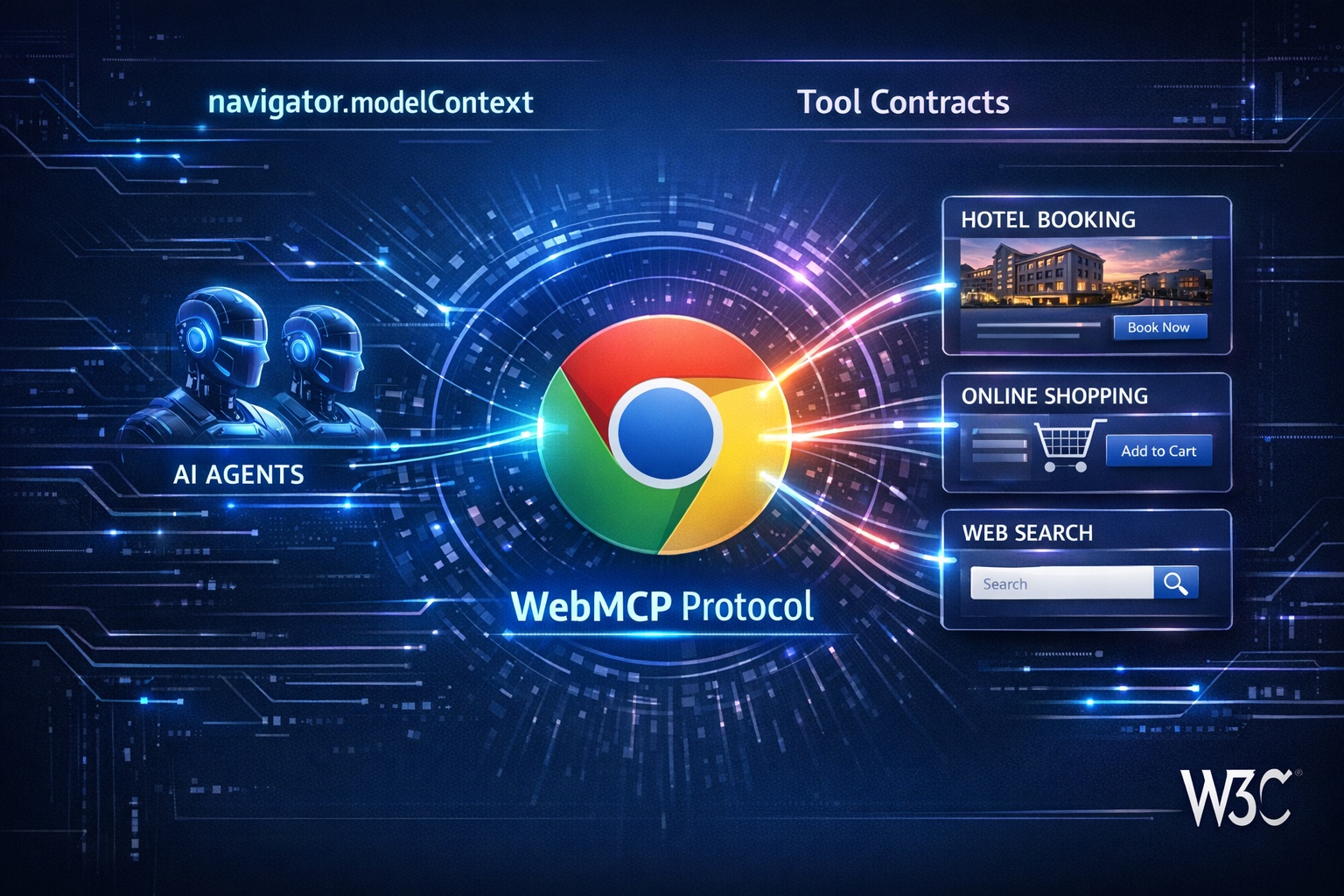

In February 2026, Google and Microsoft quietly launched something that could fundamentally change how the web works. WebMCP (Web Model Context Protocol) is a new browser standard that allows AI agents to interact with your website through structured, declared interfaces rather than guessing from screenshots and raw HTML.
If traditional SEO was about making your content findable by search engines, WebMCP is about making your website usable by AI agents. And as tools like Google-Agent (Project Mariner), OpenAI's Operator, and other AI agents become mainstream, the websites that speak their language will win.
This guide explains what WebMCP is, how it works, and what you need to do about it. Start by checking your AI readiness with the AI Crawler Check tool.
What Is WebMCP?
WebMCP stands for Web Model Context Protocol. It is a browser-based W3C standard that lets websites explicitly declare what actions AI agents can perform on them.
Think of it this way: Right now, when Google-Agent or OpenAI's Operator visits your website, it has to look at the page, try to understand the layout, figure out which buttons do what, and guess how to fill out forms. It is like sending someone to a store where nothing is labeled.
WebMCP changes that. With WebMCP, your website publishes a structured "Tool Contract" that says: "Here is my search function. It takes a query string and returns results. Here is my booking form. It takes a date, location, and number of guests." The AI agent does not have to guess anymore. It knows exactly what to do.
WebMCP at a Glance
Browser API
navigator.modelContext (Chrome 146+)
Co-Developed By
Google + Microsoft (W3C incubation)
Launched
February 10, 2026 (Chrome Canary)
Security
Human-in-the-loop approval for sensitive actions
How WebMCP Works
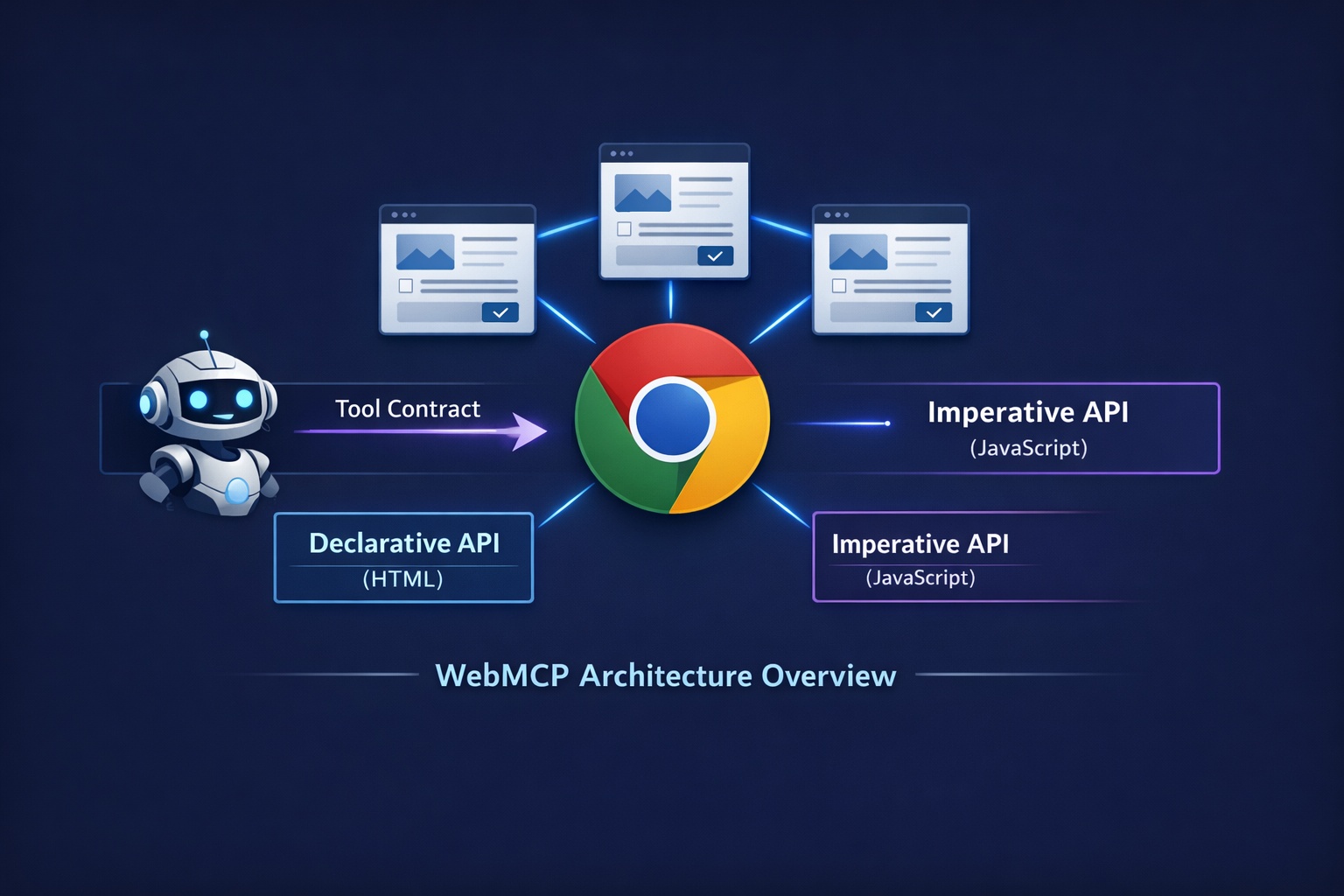
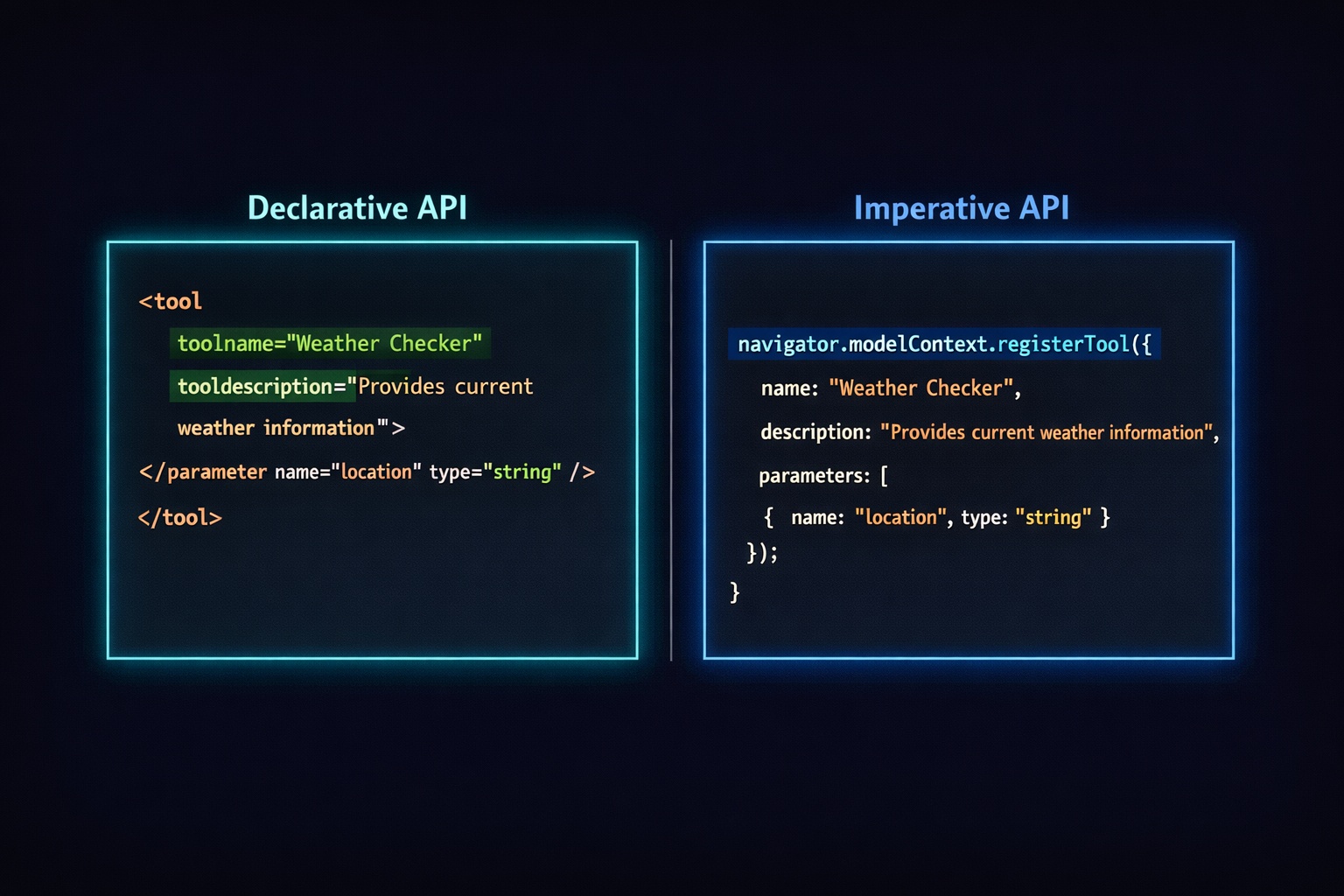
WebMCP provides two methods for websites to declare their capabilities to AI agents:
1. Declarative API (HTML Attributes)
The simplest approach. Add toolname and tooldescription attributes to your existing HTML forms:
<form action="/search" method="GET"
      toolname="site-search"
      tooldescription="Search products by name, category, or keyword">
  <input type="text" name="q" placeholder="Search products..."
         required aria-label="Search query" />
  <button type="submit">Search</button>
</form>
That is it. If your HTML forms are already clean and well-structured, you are 80% of the way there. The AI agent reads these attributes and knows exactly what this form does without guessing.
2. Imperative API (JavaScript)
For more complex interactions, use the JavaScript API to register tools programmatically:
navigator.modelContext.registerTool({
  name: "book-hotel",
  description: "Book a hotel room with check-in date, check-out date, and number of guests",
  schema: {
    type: "object",
    properties: {
      checkIn:  { type: "string", format: "date", description: "Check-in date" },
      checkOut: { type: "string", format: "date", description: "Check-out date" },
      guests:   { type: "integer", minimum: 1, description: "Number of guests" }
    },
    required: ["checkIn", "checkOut", "guests"]
  },
  async execute(params) {
    // Your booking logic here
    const result = await bookRoom(params);
    return { confirmation: result.id, total: result.price };
  }
});
The Imperative API is more powerful and can handle complex multi-step workflows like product search, add-to-cart, and checkout as a single callable function.
WebMCP vs. Anthropic MCP: What Is the Difference?
If you have heard of Anthropic's MCP (Model Context Protocol), you might be confused. They have similar names but serve very different purposes:
| Feature | WebMCP (Google/Microsoft) | MCP (Anthropic) |
|---|---|---|
| Where it runs | Client-side in the browser | Server-side via JSON-RPC |
| User present? | Yes (human-in-the-loop) | No (headless) |
| Implementation | HTML attributes + JavaScript | Python / Node.js server |
| Browser API | navigator.modelContext | N/A (server transport) |
| Best for | Consumer-facing websites | Backend service integration |
| Standards body | W3C Web ML Community Group | Anthropic (open spec) |
The key takeaway: they are complementary, not competing. Most enterprises will eventually deploy both. MCP handles backend automation (like connecting ChatGPT directly to your API). WebMCP handles front-end interactions (like letting an AI agent fill out your booking form through a browser).
For most website owners, WebMCP is the one that matters more because it directly affects your consumer-facing site.
Security: How WebMCP Protects Your Site
A reasonable concern: if AI agents can interact with your website, what stops them from doing something malicious? WebMCP has multiple security layers:
Human-in-the-Loop
Chrome acts as a mediator. Users must explicitly approve sensitive actions (like purchases or form submissions) before the agent executes them.
Opt-in Only
Websites must explicitly register tools. AI agents cannot silently discover or take over site functionality. You control exactly what actions are exposed.
Domain Isolation
Tools are isolated by domain with hash verification. A tool registered on your site can only run on your site. No cross-site tool injection.
Why WebMCP Matters for Your Website
SEO expert Dan Petrovic called WebMCP "the biggest shift in technical SEO since structured data." Here is why that comparison is accurate:
Remember Structured Data?
When JSON-LD schema was introduced, early adopters who added it to their sites got rich snippets, better click-through rates, and a competitive advantage in search. Sites that ignored it missed out for years. WebMCP follows the same pattern.
AI Agent Traffic Is Growing
AI crawlers from OpenAI alone have grown by 305% in the past year. With Google-Agent, Operator, and others entering the space, AI-driven web interactions will only increase. Sites without WebMCP become harder for agents to use reliably.
Lost Revenue
When a user asks an AI agent to "find and book the cheapest hotel in Bali," the agent will prefer sites where it can reliably complete the booking. WebMCP sites will get the conversion. Non-WebMCP sites may not even be attempted.
Who Benefits Most from WebMCP?
Not every website needs WebMCP immediately. Here is who should prioritize it:
High Priority
- E-commerce sites (search, cart, checkout)
- Travel and booking platforms
- SaaS products with sign-up flows
- Food delivery and restaurant ordering
- Financial services (applications, quotes)
- Real estate listings and scheduling
Can Wait
- Content blogs and news sites
- Portfolio and personal websites
- Documentation sites
- Static informational pages
- Forums and community sites
The pattern is clear: if your website has interactive forms, transactions, or multi-step workflows, WebMCP should be high on your priority list. If your site is primarily content and reading, it is less urgent.
How to Start Implementing WebMCP
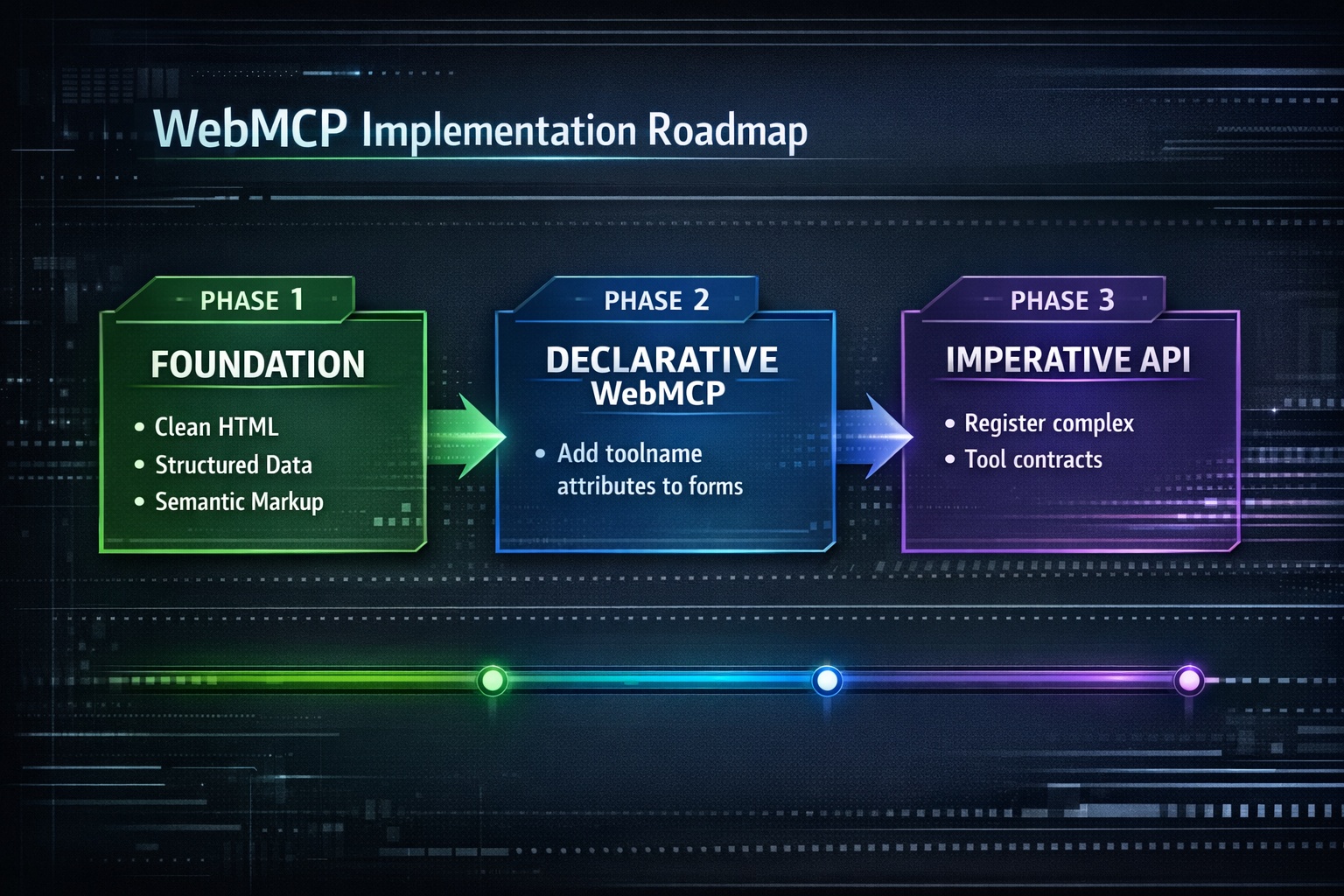
You do not need to implement everything today. Here is a phased approach:
Phase 1: Foundation (Do Now)
These steps improve your site for both AI agents and regular users, regardless of WebMCP support:
- Clean up HTML forms: Add proper
labelelements, use correctinput typeattributes (email, tel, date, number), and includearia-labelfor accessibility - Add structured data: Implement JSON-LD schema for your products, services, business hours, and FAQs. Read our schema markup guide
- Use semantic HTML: Proper heading hierarchy,
nav,main,article,asideelements help agents understand page structure - Run an AI crawler check: Use the AI Crawler Check tool to verify bot access and overall AI readiness
Phase 2: Declarative WebMCP (When Chrome Stable Supports It)
Add toolname and tooldescription attributes to your key forms. This is the lowest-effort way to make your site agent-ready:
<!-- Search form -->
<form action="/search" toolname="product-search"
      tooldescription="Search our catalog of 10,000+ products by name or keyword">
  <input type="search" name="q" required aria-label="Search products" />
  <button type="submit">Search</button>
</form>

<!-- Contact form -->
<form action="/contact" method="POST" toolname="contact-us"
      tooldescription="Send a message to our customer support team">
  <input type="text" name="name" required aria-label="Full name" />
  <input type="email" name="email" required aria-label="Email address" />
  <textarea name="message" required aria-label="Your message"></textarea>
  <button type="submit">Send Message</button>
</form>
Phase 3: Imperative API (For Complex Workflows)
For sites with complex interactions (e-commerce checkout, booking systems), register tools programmatically for maximum control:
// Check if WebMCP is available
if ('modelContext' in navigator) {

  // Register a product search tool
  navigator.modelContext.registerTool({
    name: "search-products",
    description: "Search products by name, category, or price range",
    schema: {
      type: "object",
      properties: {
        query: { type: "string", description: "Search query" },
        category: { type: "string", enum: ["electronics", "clothing", "home"] },
        maxPrice: { type: "number", description: "Maximum price in USD" }
      },
      required: ["query"]
    },
    async execute(params) {
      const res = await fetch(`/api/search?${new URLSearchParams(params)}`);
      return await res.json();
    }
  });

} else {
  // Fallback: site works normally for regular users
  console.log("WebMCP not supported in this browser");
}
WebMCP Timeline
NLWeb (Predecessor): Microsoft launches NLWeb, a server-side predecessor that turns websites into MCP servers with natural language interfaces.
WebMCP Launched: Google launches WebMCP Early Preview in Chrome 146 Canary. Co-developed with Microsoft, W3C incubation begins.
W3C Draft + Developer Preview: Spec moves to formal W3C draft. Polyfill available via npm. Best time to start implementing.
Chrome + Edge Stable: Full stable rollout expected. WebMCP becomes a standard developer expectation.
Universal Standard: Safari and Firefox support. WebMCP becomes the baseline expectation for consumer-facing websites.
AEO: The New Discipline
Just as SEO (Search Engine Optimization) emerged when Google Search became dominant, a new discipline is forming around AI agents: AEO (Agentic Engine Optimization).
AEO focuses on making your website reliably usable by AI agents. It includes:
Bot access management: Making sure AI crawlers and agents can reach your content (robots.txt configuration)
AI infrastructure files: Providing llms.txt and llms-full.txt for AI discoverability (llms.txt guide)
Structured data: JSON-LD schema that helps agents understand your content and services
WebMCP tool contracts: Explicit declarations of what agents can do on your site
Agent traffic monitoring: Tracking how AI agents interact with your site
The AI Crawler Check tool already covers several of these factors by analyzing your bot access settings, llms.txt presence, and overall AI visibility score.
Your WebMCP Readiness Checklist
10-Point Checklist
Run AI Crawler Check to assess current AI bot access
Audit all HTML forms: proper labels, input types, aria attributes
Add JSON-LD structured data (Product, Organization, FAQ, etc.)
Use semantic HTML elements (nav, main, article, aside, header, footer)
Create llms.txt and llms-full.txt files
Review WAF/firewall rules to avoid blocking AI agents
Set up Google-Agent monitoring in server logs
Clear and descriptive button text (not "Click here" but "Add to Cart")
Test with the WebMCP polyfill (npm install @mcp-b/global)
Plan Imperative API implementation for your most valuable workflows
Conclusion
WebMCP is not just another tech buzzword. It is a practical, concrete standard that changes how AI agents interact with your website. The transition from "humans browse websites" to "AI agents act on websites" is happening now, and WebMCP is the protocol that makes it work reliably.
You do not need to implement everything today. But you should:
- Understand what WebMCP is and why it matters
- Start cleaning up your HTML, forms, and structured data now
- Monitor Google-Agent and other AI agent traffic
- Plan your WebMCP implementation for when Chrome stable ships it
- Run a free AI Crawler Check to see your current AI readiness score
The websites that prepare for agentic browsing now will have a significant head start when it becomes mainstream. And based on the current timeline, that is not years away. It is months.
Check Your AI Readiness
Scan your website against 196+ AI bots. See which crawlers and agents can access your content. Get your AI Visibility Score and recommendations to improve.
Free AI Crawler Check