
Even if you want AI crawlers to access your website, you probably do not want them flooding your server with thousands of requests per hour. AI crawler rate limiting lets you control how fast bots crawl your site, protecting your server performance while still allowing access to your content. It is the middle ground between blocking bots completely and giving them unlimited access.
In this guide, we will cover every method for controlling AI bot traffic. From the simple robots.txt crawl-delay directive to advanced nginx configurations and WAF rules, you will learn how to protect your server while maintaining AI visibility. We will also explain which bots respect rate limiting and which ones you need to handle differently.
Before we start, check which AI bots are currently accessing your website. Use the free AI bot check to see your current status and identify which crawlers you need to manage.
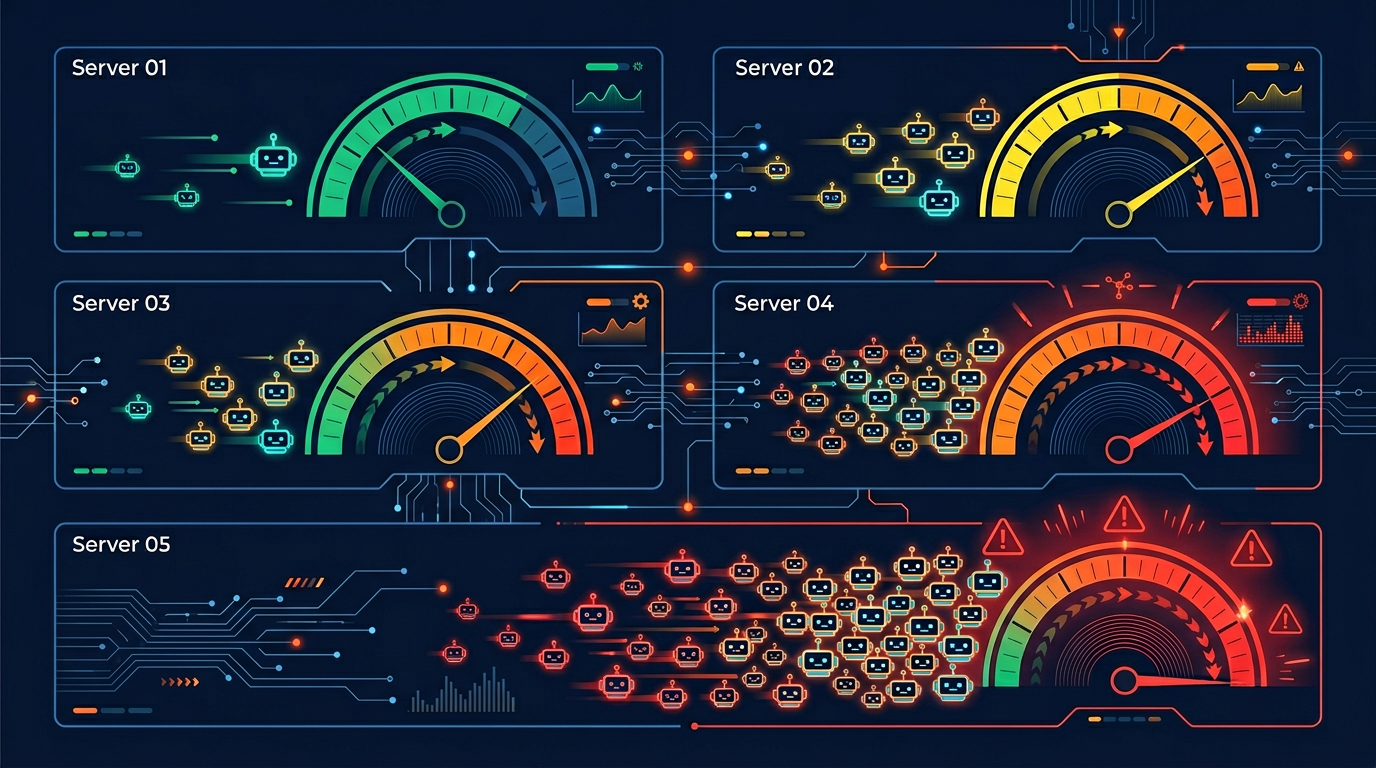
Why Rate Limiting AI Crawlers Matters
AI crawlers are different from traditional search engine bots in several important ways. Understanding these differences explains why rate limiting is increasingly necessary:
Higher request volume: Many AI crawlers send significantly more requests than traditional search bots. ByteSpider and similar aggressive scrapers can send thousands of requests per hour to a single site.
Full page rendering: Modern AI crawlers render JavaScript and download all page assets, using more bandwidth per request than simple text-only crawlers.
More crawlers than ever: With 71 AI crawlers now active, the combined traffic from multiple bots crawling simultaneously can be substantial.
No direct benefit to you: Unlike Googlebot (which indexes your site for search), many AI training crawlers use your content without sending traffic back to your site.
The impact on your server depends on your hosting setup and traffic levels. A small blog on shared hosting can be noticeably slowed down by aggressive AI crawling. Even larger sites on dedicated servers may see increased costs from the extra bandwidth consumption.
Here is a practical example of the impact: A medium-sized content website with 5,000 pages reported that AI crawler traffic accounted for 40% of their total bandwidth in early 2026. By implementing rate limiting, they reduced bot bandwidth usage by 70% without losing any AI search visibility.
Method 1: Robots.txt Crawl-Delay
The simplest way to slow down AI crawlers is the Crawl-delay directive in your robots.txt file. This tells compliant bots to wait a specified number of seconds between requests.
# Rate limit GPTBot to one request every 10 seconds
User-agent: GPTBot
Allow: /
Crawl-delay: 10
# Rate limit ClaudeBot to one request every 15 seconds
User-agent: ClaudeBot
Allow: /
Crawl-delay: 15
# Rate limit CCBot to one request every 20 seconds
User-agent: CCBot
Allow: /
Crawl-delay: 20
# No crawl-delay for search engines
User-agent: Googlebot
Allow: /
User-agent: Bingbot
Allow: /

Which bots respect Crawl-delay?
| Crawler | Respects Crawl-delay? | Alternative |
|---|---|---|
| Googlebot | No | Google Search Console crawl rate setting |
| Bingbot | Yes | Also via Bing Webmaster Tools |
| GPTBot | Partially | Server-side rate limiting |
| ClaudeBot | Partially | Server-side rate limiting |
| CCBot | Yes | N/A |
| PerplexityBot | Partially | Server-side rate limiting |
| Bytespider | Often ignores | Server-side blocking recommended |
| Applebot-Extended | Yes | N/A |
Recommended crawl-delay values:
5 seconds: Light rate limiting. Good for bots you want to allow but slow down slightly.
10 seconds: Moderate rate limiting. Recommended for most AI crawlers.
30 seconds: Heavy rate limiting. Use for aggressive crawlers or if your server is under stress.
60+ seconds: Very heavy limiting. At this point, consider blocking the bot entirely instead.
The limitation of crawl-delay is that it relies on bots being honest and compliant. Bots that ignore robots.txt rules will also ignore crawl-delay. For stronger enforcement, you need server-side rate limiting.
Method 2: Nginx Rate Limiting
Nginx rate limiting is enforced at the server level, meaning bots cannot ignore it. This is the most reliable method for controlling AI crawler traffic. Here is a step-by-step configuration:
Step 1: Identify AI bot user agents
Create a map in your nginx configuration that identifies AI bot user agents:
# /etc/nginx/conf.d/ai-bot-detection.conf
map $http_user_agent $is_ai_bot {
default 0;
~*GPTBot 1;
~*ClaudeBot 1;
~*CCBot 1;
~*Bytespider 1;
~*PerplexityBot 1;
~*Applebot-Extended 1;
~*Google-Extended 1;
~*ClaudeBot 1;
~*Amazonbot 1;
}
Step 2: Create rate limiting zones
# Rate limit zone for AI bots
limit_req_zone $binary_remote_addr
zone=ai_bot_limit:10m rate=6r/m;
# Regular rate limit for all traffic
limit_req_zone $binary_remote_addr
zone=general_limit:10m rate=30r/s;
Step 3: Apply rate limits conditionally
server {
location / {
# Apply stricter rate limiting to AI bots
if ($is_ai_bot) {
set $limit_key $binary_remote_addr;
}
limit_req zone=ai_bot_limit
burst=5 nodelay;
limit_req_status 429;
}
}
This configuration limits AI bots to 6 requests per minute (one every 10 seconds) with a burst allowance of 5 extra requests. Bots that exceed this limit receive a 429 (Too Many Requests) response. Normal visitors are not affected.
The advantage of nginx rate limiting is that it works regardless of whether the bot respects robots.txt. Even if ByteSpider ignores your crawl-delay directive, nginx will enforce the rate limit at the server level.
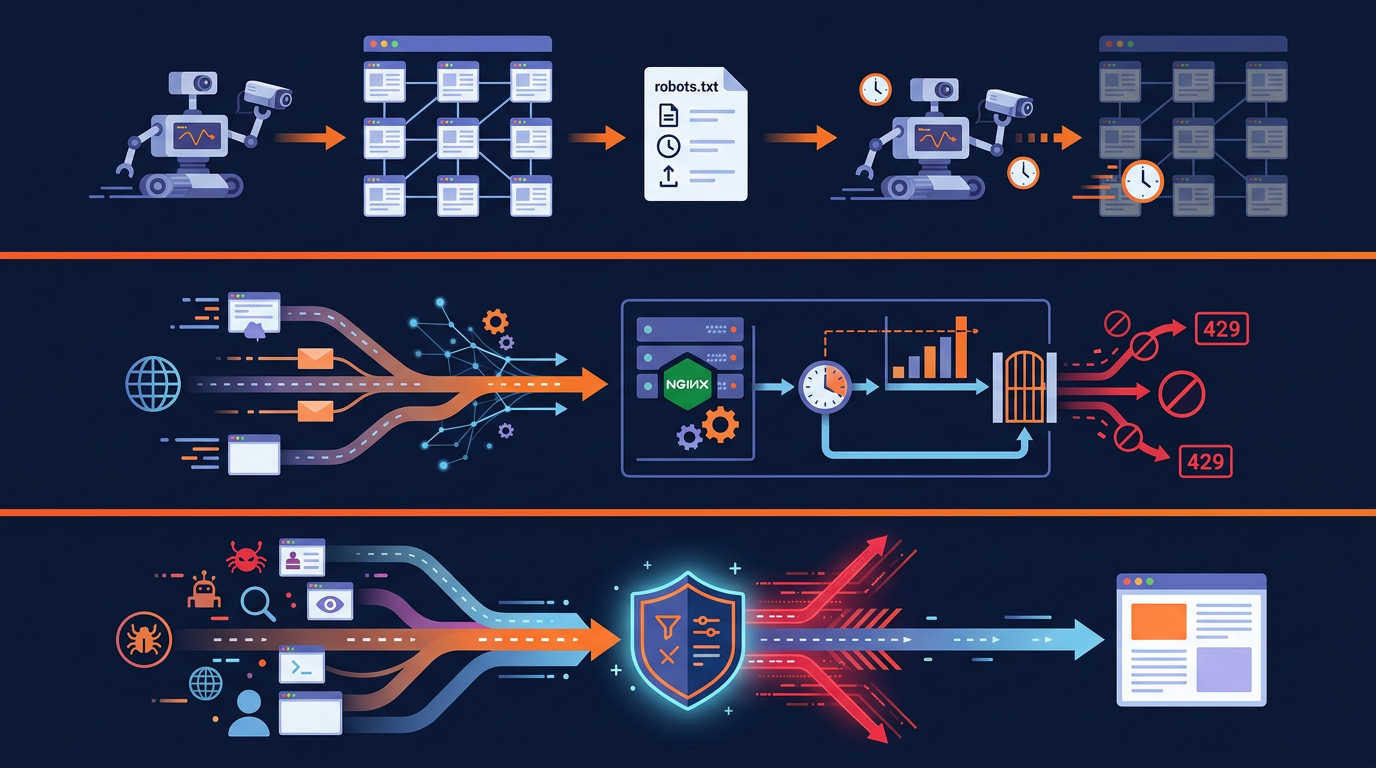
Method 3: WAF (Web Application Firewall) Rules
If you use a cloud-based WAF like Cloudflare, AWS WAF, or Sucuri, you can create rules to rate limit AI crawlers without touching your server configuration. This is the easiest method for non-technical users.
Cloudflare rate limiting example
In Cloudflare's dashboard, you can create rate limiting rules based on user agent patterns:
Go to Security > WAF > Rate Limiting Rules
Create a new rule with the condition: User Agent contains "GPTBot" OR "ClaudeBot" OR "CCBot" OR "Bytespider"
Set the rate limit: 10 requests per minute per IP
Set the action: Block for 1 hour (or Challenge)
WAF rate limiting has several advantages over server-side solutions:
No server configuration needed: Everything is managed through a web dashboard.
Traffic never reaches your server: Blocked requests are stopped at the edge, saving your server resources completely.
Advanced analytics: WAF providers give you detailed dashboards showing bot traffic patterns and blocked requests.
Easy to update: Add new bot patterns or adjust rate limits with a few clicks.
Monitoring AI Bot Traffic
Before implementing rate limiting, you should understand how much AI bot traffic your site receives. Here are the best ways to monitor:
Server log analysis
Your server access logs contain information about every request, including the user agent. Use these commands to analyze AI bot traffic:
# Count requests by AI bot user agent (last 24 hours)
grep -E "GPTBot|ClaudeBot|CCBot|Bytespider|PerplexityBot"
/var/log/nginx/access.log | wc -l
# Break down by specific bot
grep -oE "GPTBot|ClaudeBot|CCBot|Bytespider|PerplexityBot"
/var/log/nginx/access.log | sort | uniq -c | sort -rn
# Check bandwidth usage by bot
awk '/GPTBot/ {sum+=$10} END {print sum/1024/1024 " MB"}'
/var/log/nginx/access.log
Analytics tools
Several tools can help you monitor bot traffic visually:
Cloudflare Analytics: If you use Cloudflare, the Bot Management dashboard shows detailed bot traffic information including which AI bots are accessing your site most frequently.
GoAccess: A free, open-source log analyzer that creates real-time reports from your server logs. It can show bot traffic patterns visually.
AWStats: Another free tool that analyzes server logs and breaks down traffic by robot type and user agent.
Building a Layered Defense Strategy
The most effective approach combines multiple rate limiting methods. Here is the recommended layered strategy:
Layer 1: Robots.txt (advisory)
Set crawl-delay directives for well-behaved bots. Block bots you do not want at all. This is your first line of communication with crawlers. Use the Robots.txt Generator to set this up quickly.
Layer 2: Server-side rate limiting (enforced)
Configure nginx or Apache rate limiting rules for AI bot user agents. This catches bots that ignore robots.txt. Set limits at 6 to 10 requests per minute for AI bots.
Layer 3: WAF rules (edge protection)
If you use a CDN or WAF, add rate limiting rules at the edge. This stops excessive bot traffic before it even reaches your server, saving bandwidth and processing power.
Layer 4: IP blocking (last resort)
For bots that persistently ignore all rate limiting and robots.txt rules, block their IP ranges at the firewall level. This is the nuclear option and should only be used for truly abusive crawlers.
This layered approach ensures that well-behaved bots are handled gently (via robots.txt), while aggressive bots face progressively stronger enforcement. The key is to never rely on a single method, because each layer catches bots that slip through the previous one.
Crawl Rate Limit vs Crawl Budget: Not the Same Thing
Two phrases get used interchangeably and should not be. A crawl rate limit is a ceiling on how fast a bot may request pages from you, measured in requests per second or minute. Crawl budget is how many pages a crawler is willing to spend on your site in a given period. Rate limiting protects your server. Crawl budget determines how much of your site gets discovered.
The reason this distinction matters practically: a crawl rate limit set too aggressively can quietly consume your crawl budget. If a crawler wants 10,000 pages and you cap it at one request every 10 seconds, it needs over 27 hours of continuous crawling to finish. In practice it gives up long before that, and the pages it never reached simply do not exist as far as that AI system is concerned. You have not protected your content; you have hidden most of it.
Answer a 429 properly with Retry-After
When you return 429 Too Many Requests, add a Retry-After header. Without it, a bot is guessing when it may come back, and the well-behaved ones tend to back off much further than you need while the badly-behaved ones retry immediately. The header turns a blunt rejection into an instruction:
HTTP/1.1 429 Too Many Requests
Retry-After: 60
Content-Type: text/plain

Rate limit reached. Retry in 60 seconds.
In nginx, pair the limit_req_status 429; from the configuration above with an add_header Retry-After 60 always; directive so the header is sent on the rejection as well as on normal responses. Two further rules worth following: never return 403 or 404 for rate limiting, because those read as permanent and can drop you from an index, and never rate limit so hard that the crawler concludes your site is down. A 429 says "slow down"; a 403 says "go away and do not come back".
Balancing Rate Limiting with AI Visibility
Rate limiting is a balancing act. Too aggressive and you may hurt your AI Visibility Score. Too lenient and your server suffers. Here are guidelines for finding the right balance:
Do not rate limit AI search crawlers too aggressively. Bots like PerplexityBot and ChatGPT-User drive traffic to your site. A crawl-delay of 5 seconds is enough for these without significantly impacting your AI search visibility.
Be stricter with training-only crawlers. Bots like GPTBot, CCBot, and ByteSpider do not send you traffic. A crawl-delay of 15 to 30 seconds or even full blocking is appropriate.
Never rate limit Googlebot or Bingbot. These are your search engine crawlers. Slowing them down can hurt your organic search rankings. If you need to control their crawl rate, use Google Search Console or Bing Webmaster Tools instead.
Monitor and adjust. Start with moderate rate limits and monitor the impact on your server performance and AI visibility. Adjust as needed based on the data.
Use the test your site's AI bot access tool periodically to check that your rate limiting is not accidentally blocking crawlers you want to allow. The tool shows whether each bot can access your site, which helps you verify your configuration.
Real-World Rate Limiting Scenarios
Here are three common scenarios and the recommended rate limiting configurations for each:
Scenario 1: Small blog on shared hosting
Problem: AI bots are slowing down the site for real visitors. Solution: Block aggressive training bots (ByteSpider, CCBot) entirely. Set crawl-delay: 20 for all other AI bots. This dramatically reduces bot traffic while maintaining some AI visibility.
Scenario 2: E-commerce site wanting AI search visibility
Problem: Need to be visible in AI search but want to control costs. Solution: Allow PerplexityBot and ChatGPT-User with crawl-delay: 5. Rate limit GPTBot and ClaudeBot at 10 requests per minute via nginx. Block ByteSpider completely.
Scenario 3: Large publisher protecting content
Problem: Premium content being used for AI training without compensation. Solution: Block all AI training bots. Allow only AI search bots (ChatGPT-User, PerplexityBot) with strict rate limits via WAF. Monitor server logs weekly for new bots.
Method 4: Apache Rate Limiting
If your server runs Apache instead of nginx, you can use mod_ratelimit or mod_evasive to control AI bot traffic. Here is a basic Apache configuration:
# .htaccess rate limiting for AI bots
SetEnvIfNoCase User-Agent "GPTBot" ai_bot
SetEnvIfNoCase User-Agent "ClaudeBot" ai_bot
SetEnvIfNoCase User-Agent "CCBot" ai_bot
SetEnvIfNoCase User-Agent "Bytespider" ai_bot
# Apply bandwidth limiting to AI bots
<IfModule mod_ratelimit.c>
<If "env('ai_bot')">
SetOutputFilter RATE_LIMIT
SetEnv rate-limit 50
</If>
</IfModule>
For more advanced Apache bot management, consider using mod_evasive, which can detect and block bots that send too many requests in a short period:
# mod_evasive configuration
<IfModule mod_evasive20.c>
DOSHashTableSize 3097
DOSPageCount 5
DOSSiteCount 50
DOSPageInterval 1
DOSSiteInterval 1
DOSBlockingPeriod 300
</IfModule>
This configuration blocks any IP that requests more than 5 pages per second or 50 site-wide requests per second, with a 5-minute block period. It applies to all traffic, so well-behaved bots will not be affected.
CDN-Level Bot Management
Many CDN providers now offer built-in bot management features that can identify and rate limit AI crawlers automatically. Here is what major CDN providers offer:
Cloudflare Bot Management: Cloudflare can identify over 200 bot types and offers automated rate limiting, JavaScript challenges, and managed challenges specifically for AI crawlers. Their free plan includes basic bot detection.
AWS CloudFront + WAF: Amazon's CDN can be configured with WAF rules that identify AI bot user agents and apply rate limiting. Useful for sites already on AWS infrastructure.
Akamai Bot Manager: Enterprise-grade bot detection with AI-powered classification. Can distinguish between good bots (search engines) and unwanted AI crawlers automatically.
Fastly Signal Sciences: Offers rate limiting and bot detection at the edge, with customizable rules for AI crawler user agents.
CDN-level bot management is often the most cost-effective solution because it stops bot traffic before it reaches your origin server, saving both bandwidth and processing resources. The main disadvantage is that premium bot management features usually require paid plans.
Whichever rate limiting method you choose, always start with monitoring. Use your server logs or CDN analytics to understand your current bot traffic patterns before implementing limits. This helps you set appropriate thresholds and avoid accidentally blocking legitimate traffic.
Remember to regularly check your configuration using the test your site's AI bot access tool. Changes to your server configuration can sometimes have unintended side effects on bot accessibility, so periodic verification is essential.
Key Takeaways
Robots.txt crawl-delay is the simplest rate limiting method but not all bots respect it.
Nginx rate limiting is server-enforced and cannot be ignored by bots.
WAF rules stop bot traffic at the edge before it reaches your server.
A layered approach combining all methods provides the strongest protection.
Never rate limit Googlebot or Bingbot. Use their webmaster tools instead.
Be stricter with training bots, gentler with AI search bots that drive traffic.
Monitor bot traffic with server logs and analytics tools before implementing limits.
Check Your AI Bot Traffic
See which AI crawlers currently access your site and their impact on your server.
Scan Your Website Now